
Talk to Strangers Online
Random Video, Voice & Text Chat
Meet new people by video, voice or text. Pick how you want to talk and you're chatting in seconds, right in your browser.
- Free to start
- No download
- In your browser
- 18+ only
Some features cost money later. You'll see the price before you pay.
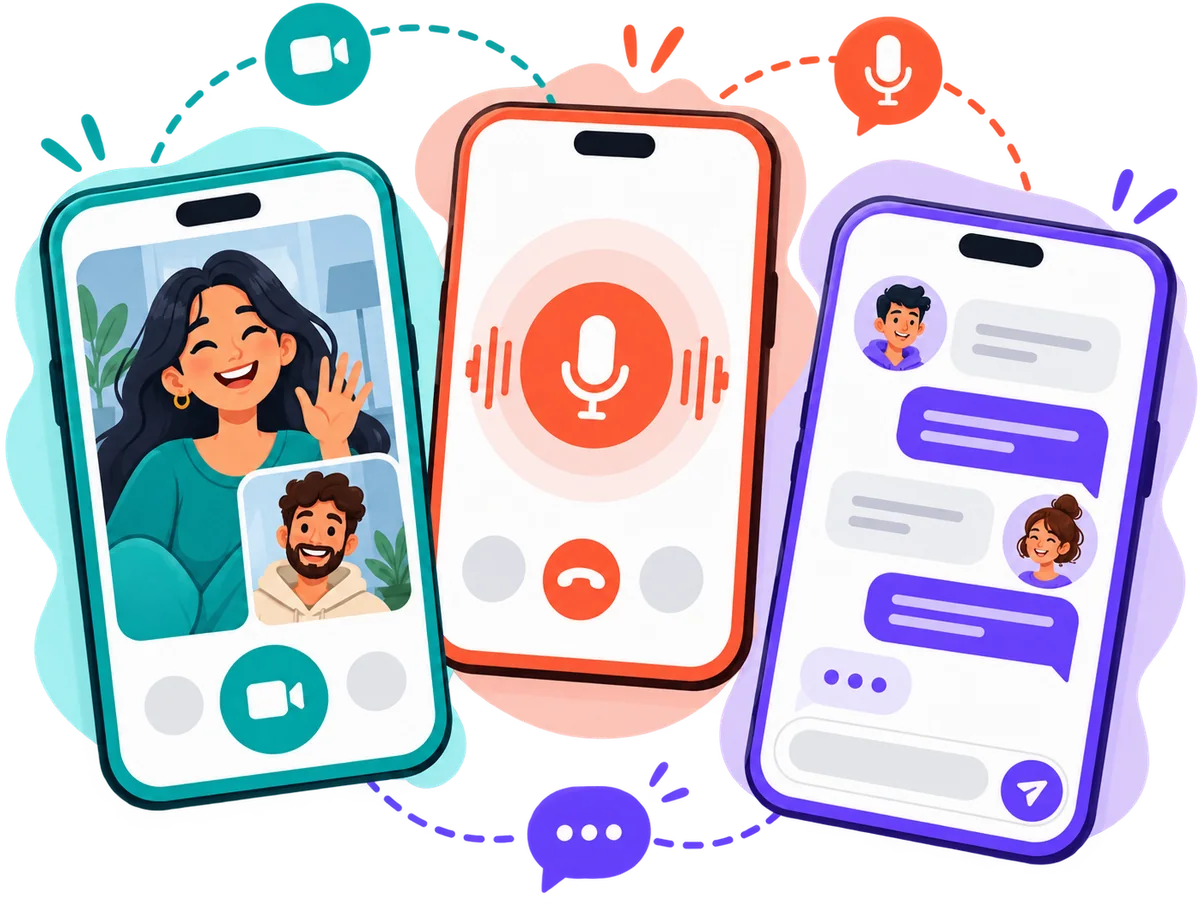
StrangerLine is a place to talk to strangers online. Pick video, voice or text, tap start, and you're talking to someone who's online right now, one on one. No profile to build, nothing to install: it all happens in your browser, on your phone or your laptop. If the conversation isn't clicking, tap Next and move on. It's free to start; some features cost money later, and you'll always see the price before you pay.
Choose How You Chat
Three ways to do it. Pick one now, try another next time.
Video chat
Face to face, in real time. Camera and mic on, like sitting across a table from someone.
About random video chat →Voice chat
Just talk. No camera, nothing on screen. Good for a walk, a dark room, or a day you'd rather not be seen.
About random voice chat →Text chat
Start with a message and take your time. No camera, no mic. Switch to voice or video later if you both want to.
About random text chat →How It Works
From this page to a conversation in three steps.
- 1
Pick how you want to talk
Video if you want a face, voice if you'd rather just talk, text if you want to take your time.
- 2
Tap start
We find someone online who picked the same thing. Usually takes a moment.
- 3
Chat, or move on
Stay as long as you both like. Not clicking? Tap Next and someone new is on the line.
Why chat here
- 1
Someone in seconds
Tap start and you're talking to a person who's online right now. No profiles to browse, no list to scroll.
- 2
Three ways to talk
Video, voice or text. Pick what fits the moment, and pick something else next time.
- 3
Nothing to install
It runs in your browser, on your phone or your laptop. Open the site and you're in.
Moments when people talk to strangers
There's no right reason. These are the ones we hear most.
3 a.m. and wide awake
Everyone you know is asleep. Somewhere else it's afternoon, and someone's up for a chat.
A long commute
Forty minutes on a train go faster when you're talking to someone instead of scrolling.
New city, no one to call
You moved, or you're travelling, and your phone is full of people who aren't here.
Things you can't say to people who know you
A stranger has no history with you. Sometimes that's exactly what makes it easy to talk.
Practicing a language
Real pace, real slang, real mistakes. And nobody from your class listening.
A five-minute reset
Between two tasks, a quick chat with someone new clears your head better than another feed.
Testing an idea
You want an honest first reaction from someone who has no reason to be polite.
Just curious who's out there
No goal, no agenda. You tap start because you can, and see who shows up.
After the chat
A conversation doesn't have to end when the call does.
- 1
Keep it going
Good conversation? Send a message when the call ends and pick up where you left off.
- 2
Change the channel
Started with text and want to hear a voice? Move the same chat to a voice or video call, whenever you both feel like it.
- 3
Or let it go
You don't owe anyone a goodbye. Tap Next and the next person is on the line. (If someone broke the rules, report them first.)
Safety and privacy
What we handle, and what stays in your hands. Full safety page.
You decide what to share
Others see your nickname, avatar and country, plus whatever you choose to show or type. Keep your real name, number and address to yourself.
Permissions only when needed
Your browser asks for camera or mic access after you tap start, and only for the mode you picked. Text chat asks for neither.
Report and block in one tap
Someone breaks the rules? Report them from inside the chat and move on. You won't be matched with them again.
18+ only
StrangerLine is for adults. Break the community guidelines and you can be banned.
Chat With Strangers, Your Way
Talking to strangers online used to mean one thing: a text box and a Next button. StrangerLine keeps that simplicity and adds a choice, so you can chat with random strangers the way that suits you. Type in a random text chat, hear a real voice in a random voice chat (camera off), or go face to face in a random video chat. Whichever you pick, the idea's the same: tap start, get matched with someone who's online right now, and see where it goes.
No feed to scroll, no profile to polish. A good conversation is one tap away, and so is the next one. Keep the chats you enjoy, skip the ones you don't, and come back whenever you feel like talking to someone new.
Everything runs in your browser, on your phone or your computer. How matching works, what permissions we ask for, how reporting works: it's all on the FAQ and Safety pages.
Frequently Asked Questions
How do I talk to strangers on StrangerLine?
Pick video, voice or text, tap start, and someone who's online right now shows up. Stay as long as it's fun, then tap Next for someone else.
Is StrangerLine free?
It's free to start. If something costs money later, you see the price first and decide.
Do I need to sign up?
No sign-up form. An account is created for you when you enter, so you can start right away.
Can I chat without a camera?
Yes. Voice chat uses only your mic. Text chat uses neither camera nor mic.
Is StrangerLine a dating app?
No. It's for talking to strangers, one on one, about anything. No profiles, no swiping, no matching by looks.
Keep reading
Ready to talk to someone new?
Pick video, voice or text. Free to start, nothing to install.